🚀 Automating EC2 Cost Control Using AWS Lambda & EventBridge
DevOps engineer focused on Kubernetes, cloud, and automation. Sharing real production issues and lessons to help build reliable, scalable systems.
This article explains how to automate EC2 cost control using AWS Lambda and Amazon EventBridge.
Originally published on Medium, refined and optimized for Hashnode readers.
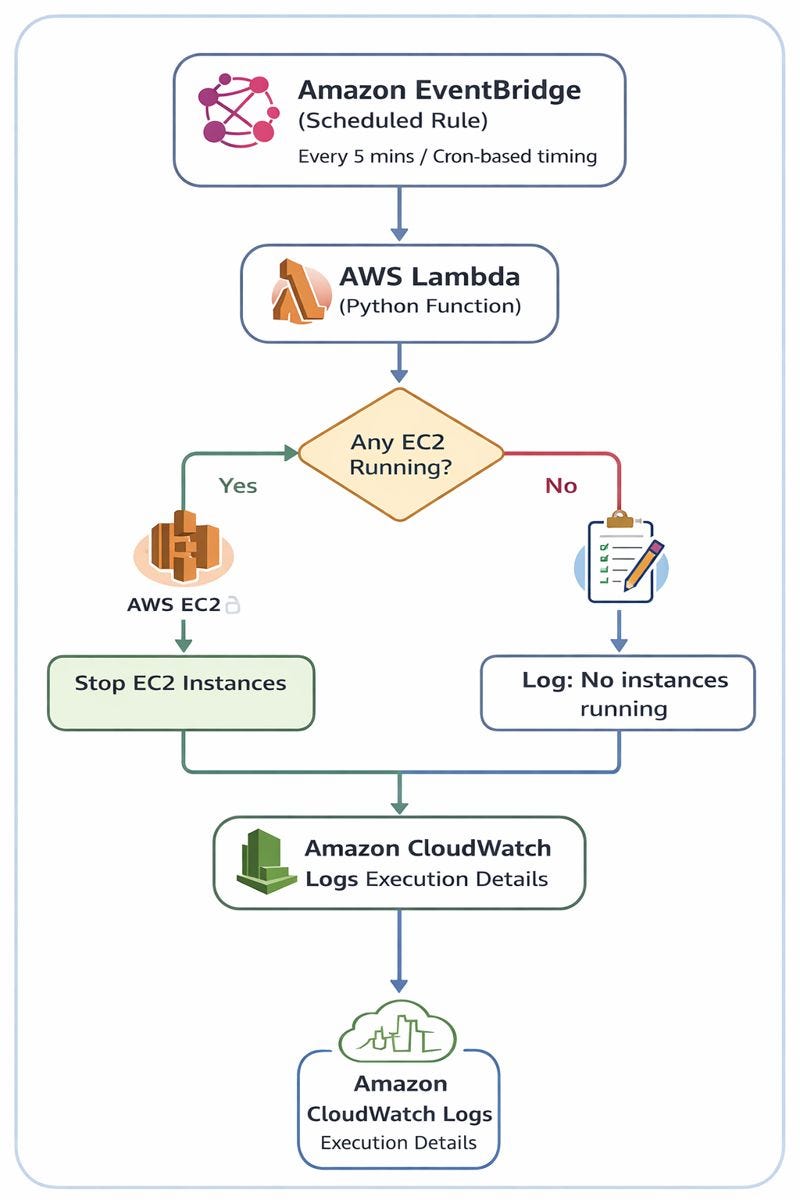
Automating EC2 Cost Control using AWS
🔥 Introduction
Cloud costs often increase silently — especially when EC2 instances are left running unnecessarily.
Manual checks are error-prone and inconsistent.
This project demonstrates how AWS native services can automatically stop running EC2 instances on a schedule, helping enforce cost efficiency and operational discipline.
The solution is:
Fully serverless
Event-driven
Built using real-world AWS services commonly expected in Cloud & DevOps roles
Whether you’re a fresher learning AWS or a professional revisiting automation fundamentals, this project shows how small automations can deliver real business value.
🧩 Problem Statement
EC2 instances continue running even when not required
Manual stopping is unreliable and inconsistent
Leads to unnecessary AWS billing
No automation or visibility in place
✅ Solution Overview
This project uses:
AWS Lambda – Identifies and stops running EC2 instances
Amazon EventBridge – Triggers automation on a schedule
Amazon CloudWatch Logs – Monitors execution and results
The automation runs without servers, cron jobs, or manual intervention.
🏗️ Architecture Overview
🔄 Workflow
EventBridge triggers Lambda based on a schedule
Lambda checks for running EC2 instances
Lambda stops the instances
Execution logs are stored in CloudWatch
This is a practical example of event-driven serverless automation.
🛠️ AWS Services Used
AWS Lambda – Executes automation logic
Amazon EC2 – Target resource to manage
Amazon EventBridge – Scheduler (cron replacement)
Amazon CloudWatch – Logs and monitoring
IAM – Permissions for Lambda execution
📜 Lambda Function Logic (High-Level)
The Lambda function performs the following steps:
Connects to EC2 using AWS SDK (boto3)
Finds all instances in the running state
Collects their Instance IDs
Stops them automatically
Writes execution logs to CloudWatch
✔ Why this approach works
No hard-coded instance IDs
Works across multiple EC2 instances
Safe, scalable, and reusable automation

Lambda Function
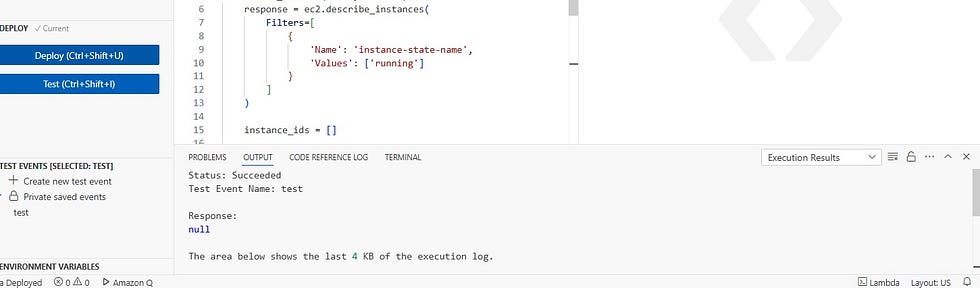
Lambda Function Success
🔐 IAM Permissions Required
The Lambda execution role must allow:
ec2:DescribeInstancesec2:StopInstances
Without these permissions, Lambda will execute but EC2 instances will not stop.

Permissions
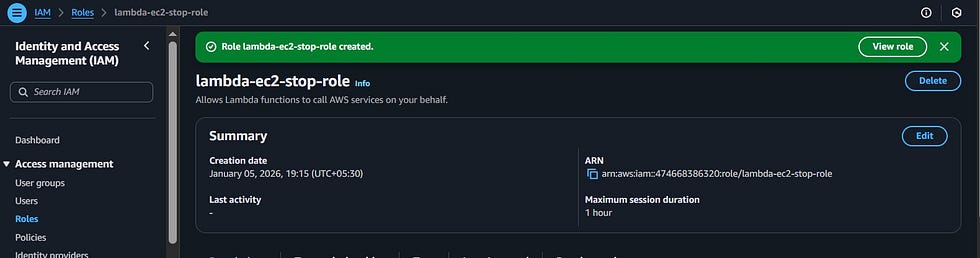
Role Created
⏰ Scheduling with EventBridge
EventBridge supports cron and rate expressions.
Examples:
Every 5 minutes (testing)
Daily shutdown (production)
Weekend-only schedules
This makes the solution flexible for real-world environments.
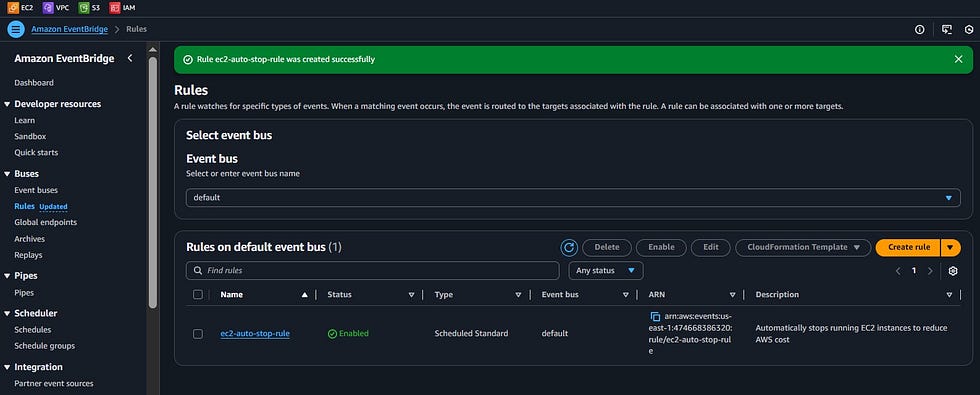
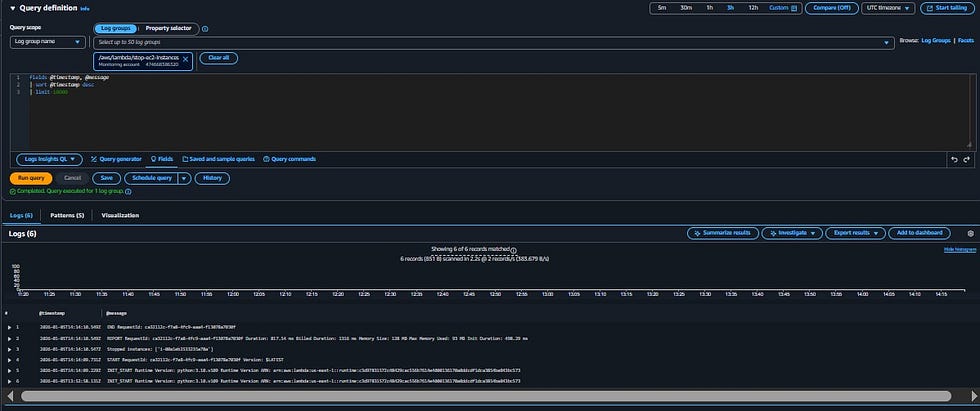
📊 Monitoring & Logs
Each execution is logged automatically in CloudWatch Logs, providing:
Visibility into which instances were stopped
Confirmation of successful runs
Easy debugging if issues occur
🧪 Testing Strategy
1️⃣ Manual Lambda Test
Validates code and IAM permissions
Stops EC2 instances immediately
2️⃣ EventBridge Trigger Test
Validates full automation flow
Confirms scheduled execution
🌟 Key Benefits
Prevents unnecessary AWS costs
No servers to manage
Fully automated
Scales across multiple instances and accounts
Uses real AWS production patterns
📌 Real-World Use Cases
Nightly EC2 shutdowns
Non-production environment cost control
Learning event-driven AWS automation
Foundation for advanced cloud workflows
✅ Conclusion
This project demonstrates how AWS Lambda and EventBridge can be combined to automate EC2 cost control using a serverless, event-driven approach.
It’s a simple yet powerful pattern that improves cost efficiency, operational discipline, and cloud automation skills — making it an excellent learning project for DevOps and Cloud engineers.